INTELLIMAINT BY CRITICALWAVE

Understand the problem.
Find your next step.

From everyday questions to demanding technical work, IntelliMaint helps turn reference material into practical understanding.

Ask in your own words. Explore possible causes, understand the relevant system, and work through what to check next.

Visit www.intellimaint.ai

Android available · Coverage grows as references are added.

KNOWLEDGE FOR MORE PEOPLE

You don’t have to be an engineer to ask.

Start with a question at your level. Bring more detail as the conversation develops. Technical work still belongs with people qualified for the task.

EVERYDAY QUESTIONS & LEARNING

Start with what you know.

Ask about a home appliance, an electrical concept, a mechanical system, or an electronic component. Build your understanding in plain language.

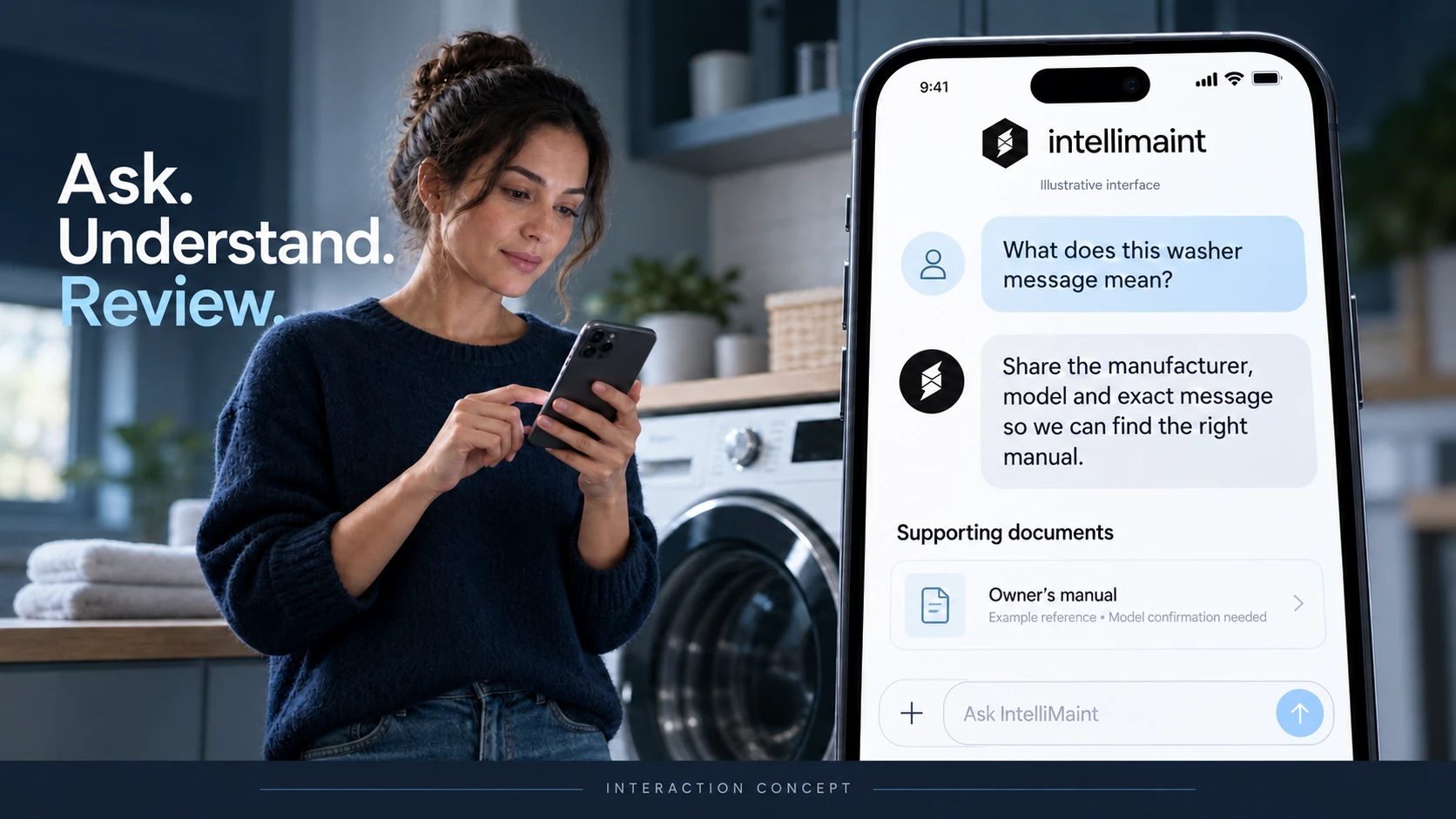
“What does this washer message mean, and what information should I give a service technician?”

TECHNICIANS & OPERATORS

Work through the symptoms.

Bring the equipment model, observed readings, alarms, and operating conditions into the conversation. Relate possible causes to the relevant references.

“Why is one generator phase reading 50 VAC while the others read 120 VAC?”

ENGINEERS & MEP PROJECT MANAGERS

Connect requirements to the work.

Explore data-center systems, commissioning, technical requirements, and turnover documentation with the project’s applicable references in view.

“What should our team review before planning an integrated systems test?”

PUT THE REFERENCES TO WORK

See how a question
becomes a next step.

These illustrative conversations show the interaction we’re building toward: connect symptoms to evidence, narrow possible causes, and explain the next check.

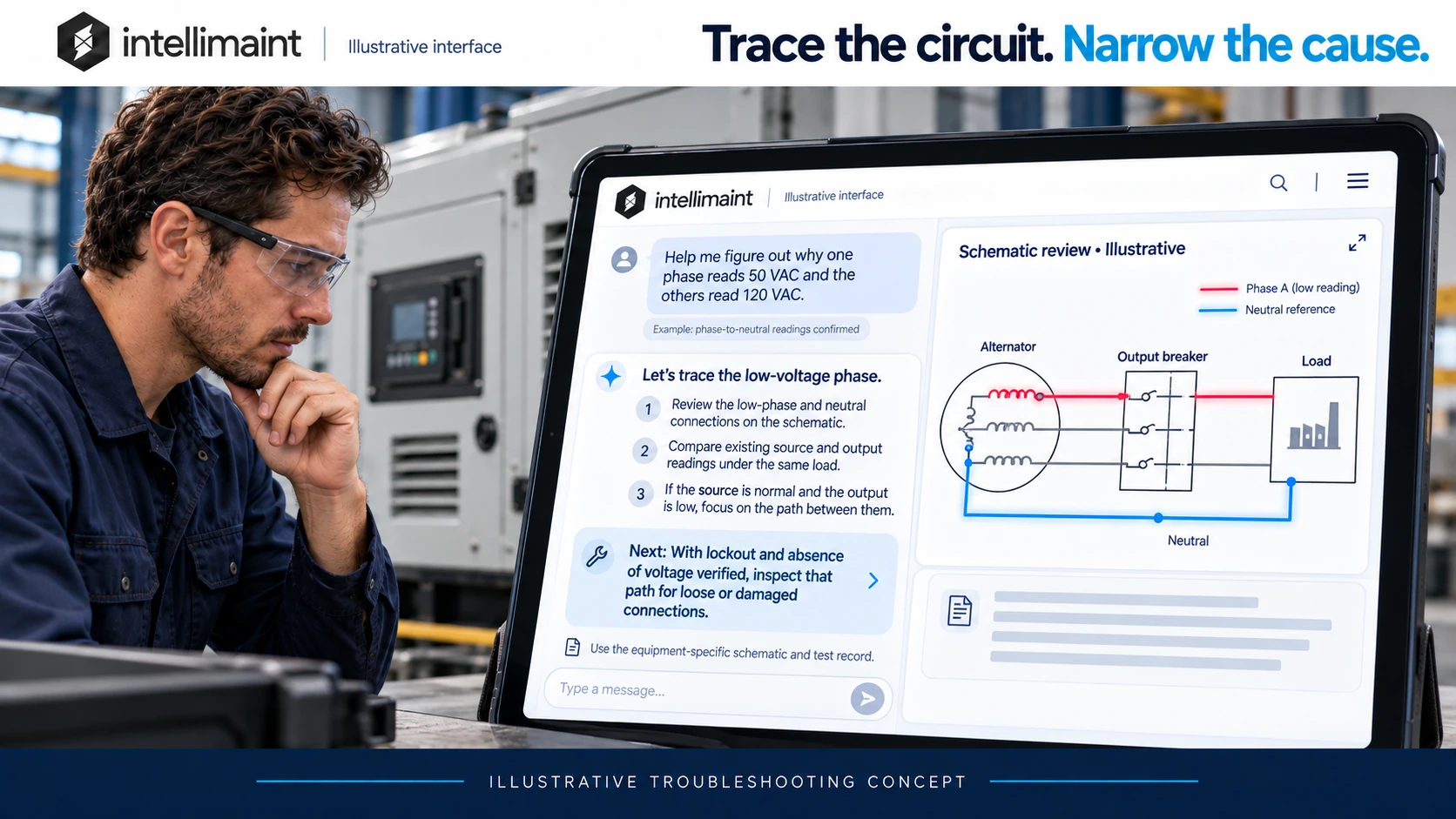
01 / ELECTRICAL TROUBLESHOOTING

Trace the circuit. Narrow the cause.

“Help me figure out why one phase reads 50 VAC and the others read 120 VAC.”

IntelliMaint concept: a generator technician reviews a schematic with the low phase and neutral highlighted, compares source and output readings, and receives a conditional next inspection.
Illustrative interface and generic schematic. View full-size image (opens in a new tab)

Understand the readings

Confirm the measurement reference, equipment configuration, and load conditions before interpreting the difference.

Locate the affected path

If comparable records show normal voltage at the source and low voltage at the output, focus the investigation on the path between those points.

Guide the next inspection

With isolation, lockout, and absence of voltage verified, qualified personnel inspect that path for loose or damaged connections using the equipment-specific procedure.

02 / DIESEL ENGINE TROUBLESHOOTING

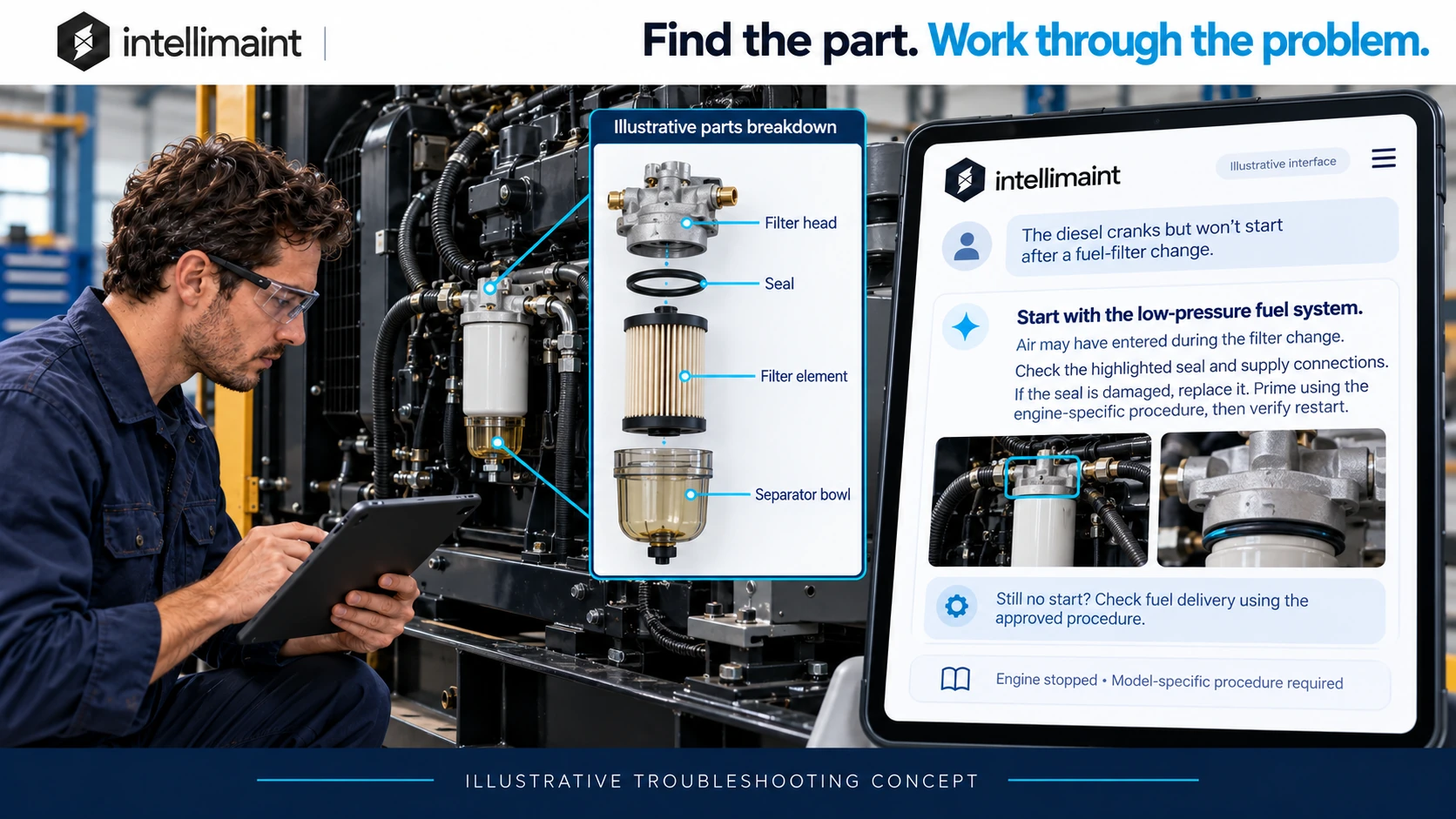
Find the part. Work through the problem.

“The diesel cranks but won’t start after a fuel-filter change.”

IntelliMaint concept: a stopped diesel engine beside a labeled breakdown of its filter head, seal, filter element, and separator bowl, with guidance to check the low-pressure fuel system.
Illustrative interface and generic parts breakdown. View full-size image (opens in a new tab)

Connect the symptom to recent work

Air entering the low-pressure fuel system is one possibility after a filter change. The symptom guides the investigation; it does not confirm the cause.

Identify what to inspect

Use the model’s parts information to locate the filter seal and supply connections, then check them with the engine stopped.

Act on the finding

If a damaged seal is confirmed, replace it and follow the engine-specific priming procedure. Verify restart; if the issue remains, continue with the approved fuel-delivery checks.

These are examples of the intended experience, not screenshots of a live diagnosis. Actual guidance depends on the equipment, information supplied, and available documentation.

EVERYDAY UNDERSTANDING

Make sense of the equipment around you.

A washer message. An unfamiliar electrical term. A question about a motor, circuit, or mechanical system. IntelliMaint’s broader direction includes helping people understand the issue and communicate it clearly.

Useful guidance can also help you recognize when the next step is to call a qualified service professional.

Illustrative IntelliMaint conversation helping a homeowner identify a washer message and the applicable model information.
Illustrative appliance conversation. Select the image to enlarge.

A GROWING REFERENCE COLLECTION

Equipment knowledge.
Engineering context.
Room to keep learning.

We’re expanding IntelliMaint with manufacturer documentation, standards, training material, and research. Coverage varies by subject, equipment, and available edition.

Equipment & systems

Manufacturer manuals, service information, schematics, parts references, and electrical, mechanical, and electronic documentation.

Engineering & commissioning

Data-center and MEP references, Unified Facilities Criteria (UFC), Unified Facilities Guide Specifications (UFGS), and OBO manuals.

Standards & safety

Federal and military standards and OSHA materials, considered alongside the edition and requirements applicable to the task.

Learning & research

Navy Electricity and Electronics Training Series (NEETS) modules, professors’ white papers, and other educational and technical references.

A reference must match the equipment and task. Applicable editions, project requirements, OEM instructions, and site procedures take precedence; an AI answer does not establish compliance.

ENGINEERING & PROJECT DELIVERY

Bring better questions
to commissioning.

For engineers, MEP project managers, and commissioning teams, the goal is to connect the technical requirement with the evidence needed to verify it.

Plan the scope

Explore system interfaces, sequences, prerequisites, and which project references apply before developing a test plan.

“What should we review before testing the generator, ATS, and UPS together?”

Review the evidence

Work through the purpose of acceptance criteria, test records, deficiencies, and turnover information.

“Which records should we organize for the commissioning handover?”

FUTURE DIRECTION

Bring guidance closer
to the task.

Our vision connects equipment identity, maintenance history, references, parts, work orders, training, and reviewed field experience. Camera eyewear, AR guidance, and remote expert support are future concepts.

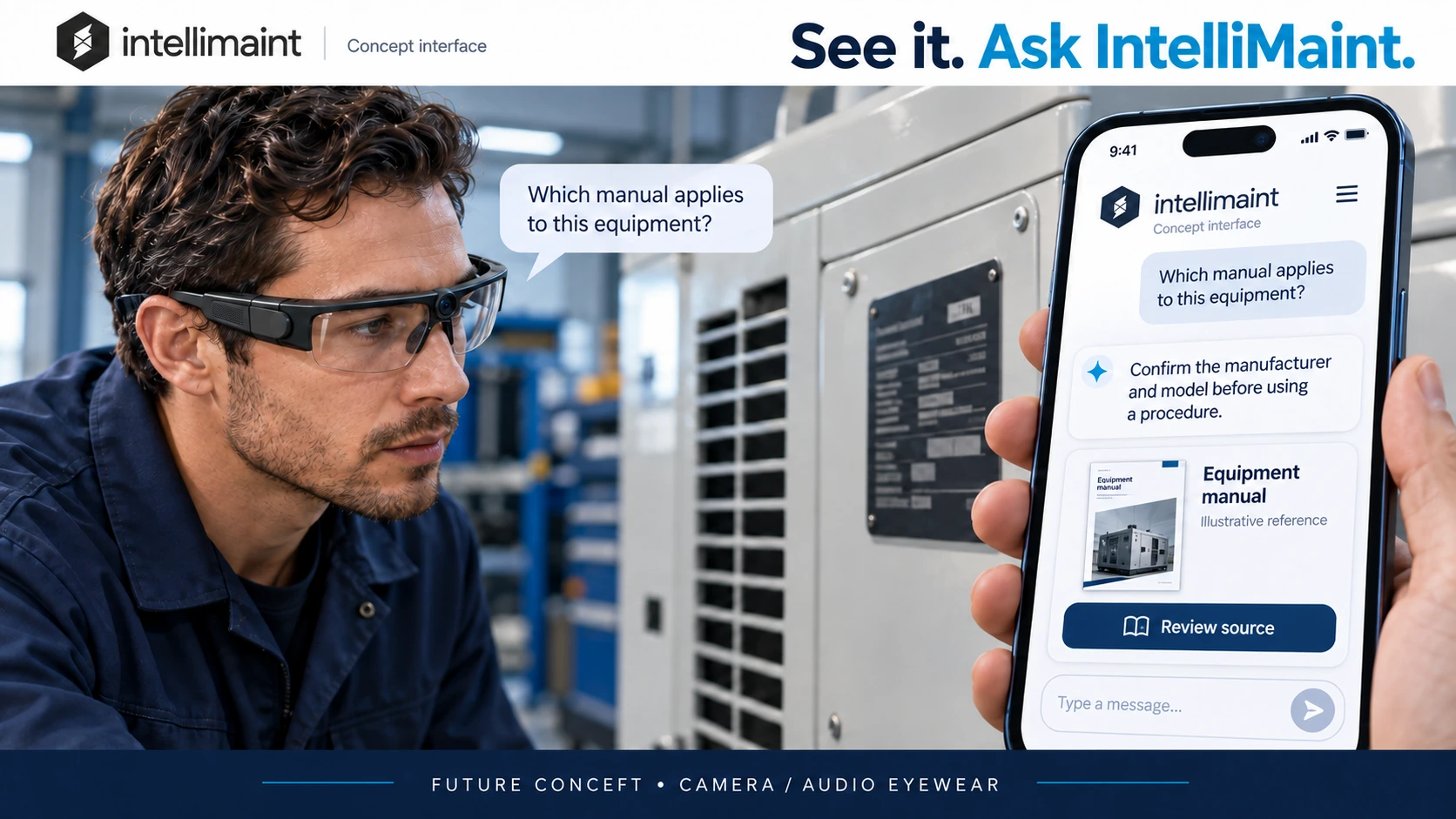
Future concept: camera and audio glasses paired with a phone for IntelliMaint questions and document review.
Camera and audio eyewearCapture the equipment view and ask by voice, with information reviewed on a paired phone.
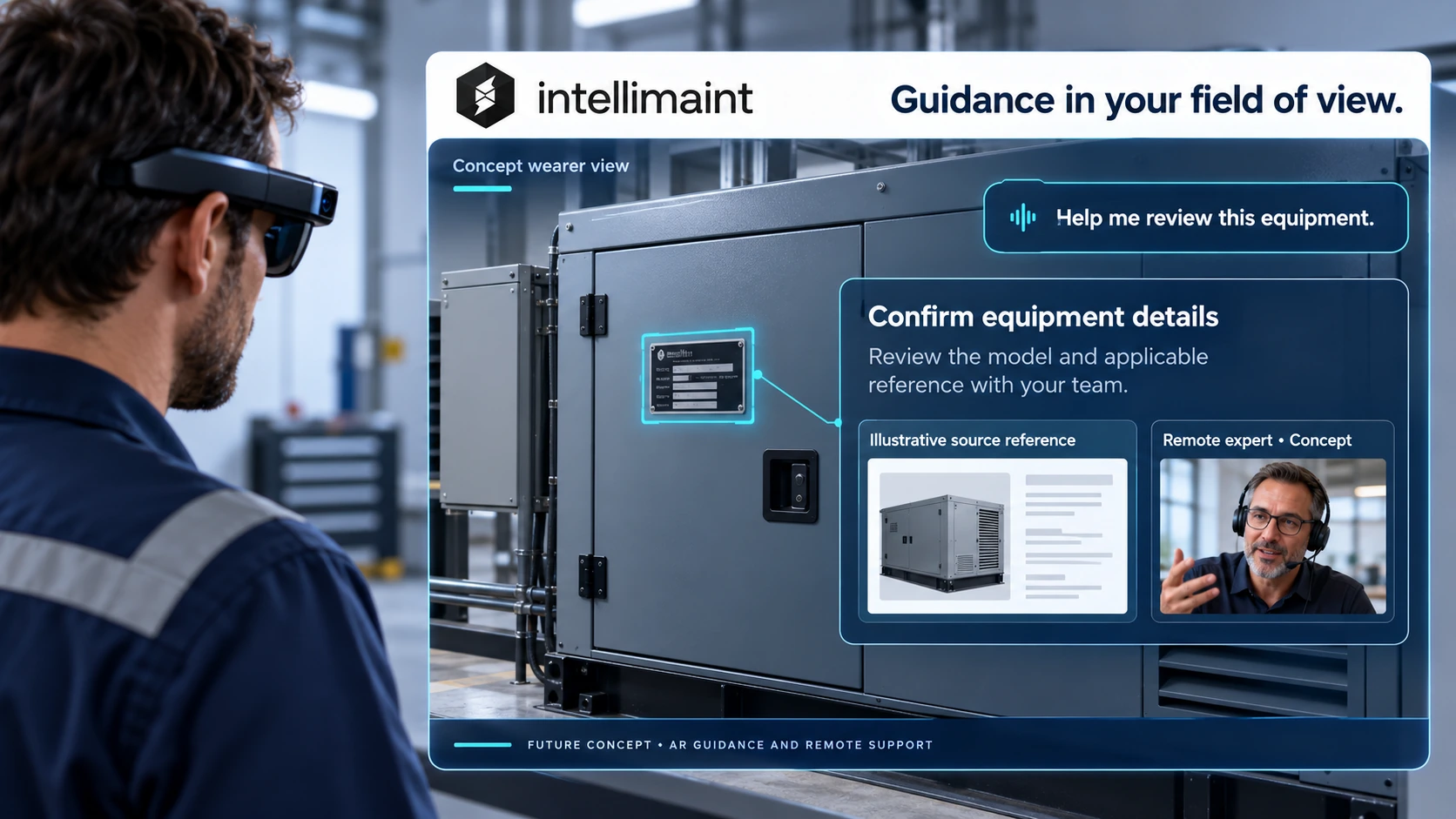
Future concept: display-equipped goggles show equipment annotations and a remote expert within the wearer’s view.
AR guidance and remote expertiseExplore visual annotations, relevant references, and a shared view with a remote specialist.

Concept illustrations. These wearable and remote-support capabilities are not presented as released features, and no release dates are announced.

PRODUCT QUESTIONS

What to know before you start.

Do I need a technical background?

No technical background is needed to ask a question or learn about a system. The level of work you can safely perform still depends on your training, qualifications, and the equipment involved.

Where can I use IntelliMaint today?

The Android app is available on Google Play. Its current listing focuses on generator troubleshooting, while we continue expanding the reference collection and broader use cases shown here. Visit IntelliMaint’s website for platform and availability updates.

Can I ask about appliances, electronics, data centers, or commissioning?

Those topics are part of IntelliMaint’s broader direction, alongside electrical and mechanical systems. Useful answers depend on the references available for the subject and the details you provide. Ask about coverage for your specific use case.

Are the images actual app screens?

The images illustrate the interaction and guidance we’re developing. They are not live app screenshots or equipment-specific service drawings. Wearable and AR scenes show future concepts.

Does IntelliMaint replace an OEM procedure or professional judgment?

IntelliMaint can make mistakes. Review guidance against current equipment documentation and applicable procedures. Hazardous electrical and mechanical work requires appropriately qualified people.

Can I use the assistant directly on this website?

This page introduces IntelliMaint and its direction. Use the Android app for the current assistant, or contact us to discuss your equipment, documents, or project needs.
LET’S START WITH YOUR QUESTION

What are you
working through?

Tell us about an everyday question, a technical challenge, or a commissioning project. We welcome users, engineers, project teams, educators, and technology partners.